

Customer success teams are handed a tough job the moment a new HubSpot deal closes: turn a signed contract into a customer who actually uses the platform, sees value fast, and sticks around past renewal. Yet a huge share of churn in the HubSpot ecosystem doesn't happen because the product is wrong for the customer — it happens because onboarding went wrong.
.png?width=1200&height=628&name=www.huboexperts.com%20(13).png)
Onboarding is the single highest-leverage window a customer success (CS) team has. Get it right, and you set the tone for years of expansion revenue. Get it wrong, and you spend the next twelve months doing damage control instead of driving growth.
Below are the seven most common HubSpot onboarding mistakes CS teams make, why each one quietly kills adoption, and what to do instead.
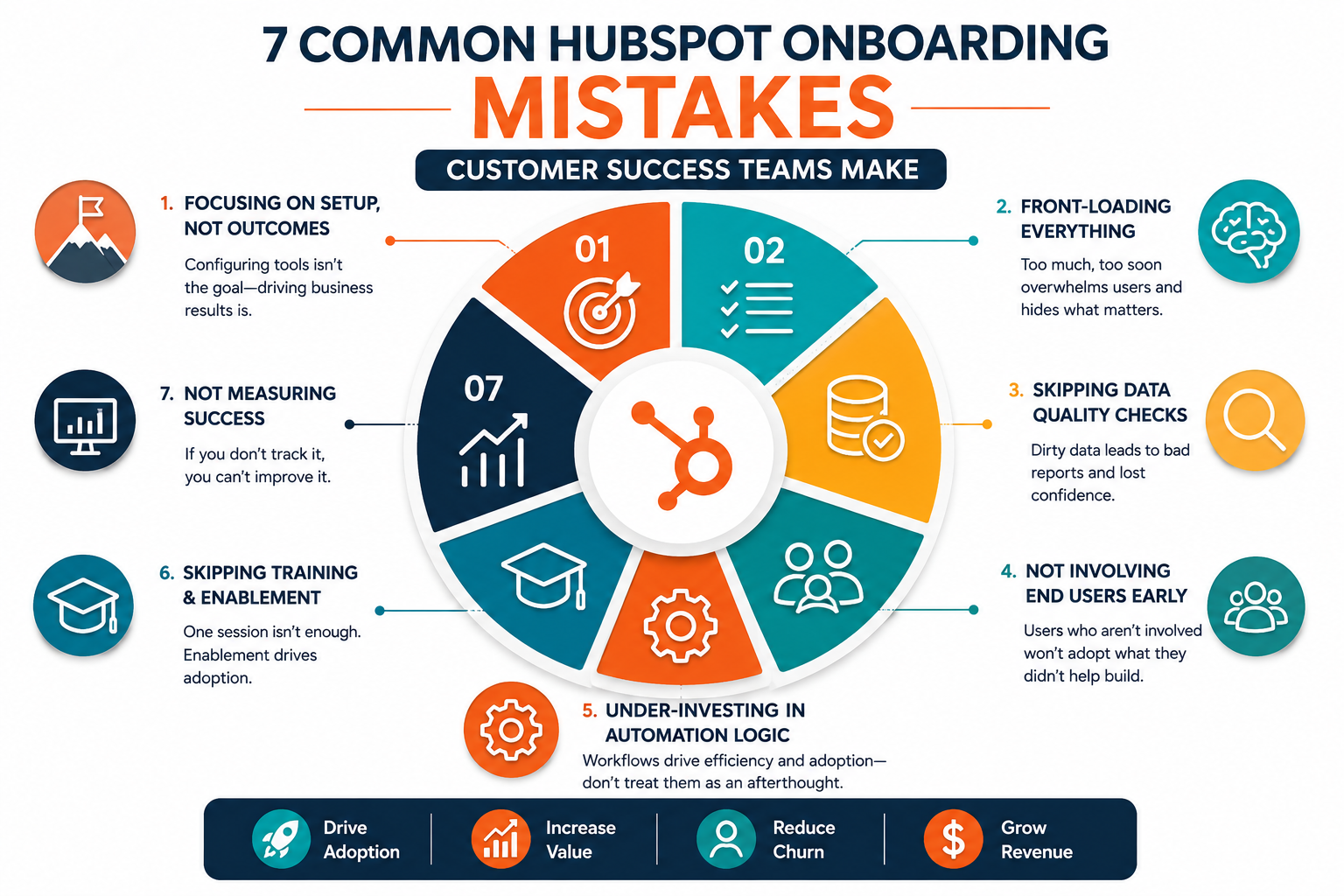
1. Treating Onboarding as a Software Setup, Not a Business Outcome
The most frequent mistake is scoping onboarding around HubSpot configuration tasks — connecting the inbox, importing contacts, building a pipeline — instead of the business result the customer actually bought HubSpot to achieve.
A customer doesn't buy HubSpot to have a properly configured CRM. They buy it to shorten sales cycles, generate more qualified leads, or replace three disconnected tools with one system. When onboarding checklists focus exclusively on technical setup, teams finish the project "on time" while the customer still doesn't understand how any of it moves their business forward.
Fix: Open every onboarding engagement by documenting the customer's specific success metric — pipeline velocity, lead volume, response time, whatever it is — and build the entire onboarding plan backward from that number, not from a generic setup checklist.
Consider two onboarding kickoff calls. In the first, the CS team spends the hour walking through the setup wizard: connecting email, importing a contact list, naming deal stages. In the second, the team opens by asking what "success" looks like ninety days from now, learns the customer's sales team is losing deals because follow-up emails take three days to go out, and spends the hour designing the exact automation and pipeline structure that fixes that specific problem. Both calls technically "configure HubSpot." Only one of them gives the customer a reason to believe the purchase was worth it.
2. Front-Loading Every Feature Instead of Sequencing Value
New customers are frequently walked through every hub, every tool, and every automation possibility in the first two sessions. The intent is good — show the full value of the investment — but the effect is the opposite. Overwhelmed users retain almost nothing, and the tools that actually matter for their first 90 days get lost in the noise.
HubSpot is deep enough that even experienced admins don't use every feature. Introducing all of it at once signals complexity, not value.
Fix: Sequence onboarding around the customer's immediate use case only. If they bought Marketing Hub to fix lead capture, the first sessions should be forms, workflows, and lead scoring — not a tour of every reporting dashboard in the portal.
3. Skipping Data Migration Quality Checks
Data migration is often treated as a mechanical, one-time task: export from the old system, import into HubSpot, move on. But dirty data imported into a new CRM doesn't just sit there quietly — it actively undermines the customer's confidence in the platform. Duplicate contacts, broken lifecycle stages, and mismatched properties surface in the first report the customer runs, and the story becomes "HubSpot is broken" rather than "the import needs cleanup."
Fix: Build a dedicated data audit step before and after migration — checking for duplicates, required property mapping, and lifecycle stage accuracy — and get customer sign-off on data quality before moving to the next onboarding phase.
This step is easy to skip when timelines are tight, but it's cheap relative to the alternative. A customer who pulls up their first pipeline report and sees three hundred duplicate contacts, deals stuck in the wrong stage, or lifecycle values that don't match anything in their old system doesn't file a support ticket about the import — they quietly conclude the CRM itself is unreliable. That impression is disproportionately hard to undo later, even after the data gets cleaned up.
4. Not Involving End Users Until Go-Live
Onboarding conversations frequently happen exclusively with a project sponsor or admin-level buyer, with the actual day-to-day users (sales reps, support agents, marketers) only introduced to the system once it's "done." Those end users then inherit a system they had no input into, don't fully understand, and often quietly work around.
Adoption problems that surface three months post-onboarding can almost always be traced back to this gap — the people expected to use the tool daily weren't part of building it.
Fix: Bring at least one or two representative end users into onboarding sessions early, not just at training. Their workflow questions surface configuration issues admins wouldn't think to ask about.
5. Under-Investing in Workflow and Automation Logic
Teams often set up the visible parts of HubSpot — forms, pipelines, dashboards — while treating workflows and automation as an afterthought or a "phase two" item. But automation is frequently the actual reason a customer chose HubSpot over a lighter-weight tool. Delaying it means the customer doesn't experience the platform's core differentiator during the period when their impression of the purchase is being formed.
Fix: Identify one or two automations tied directly to the customer's stated success metric (from mistake #1) and get them live during onboarding — not after.
6. No Defined Handoff Between Onboarding and Ongoing CS
A recurring failure point is the handoff from the onboarding specialist to the long-term customer success manager (CSM). Onboarding teams often close out a project with an internal note and a status change, while the CSM inherits the account with little more than a summary and no real context on what was promised, what's still fragile, or what the customer's actual goals were.
This gap creates a jarring experience for the customer, who has to re-explain their business and goals to a new point of contact — and it creates blind spots for the CSM, who may not catch a struggling account until usage has already dropped.
Fix: Require a structured, documented handoff meeting (not just a written note) between the onboarding specialist and the CSM, with the customer's original success metric, key configuration decisions, and any open risks explicitly covered.
A good handoff answers three questions for the incoming CSM before they ever speak to the customer: What did we promise this customer during the sales and onboarding process? What did we actually build, and where are the compromises or workarounds? And what's fragile enough that it could break trust in the next ninety days? Without answers to those three questions, a CSM is effectively starting the relationship blind, and customers notice immediately when their new point of contact doesn't seem to know their history.
7. Declaring Onboarding "Complete" Without Measuring Adoption
Many teams define onboarding success by whether tasks were completed — the pipeline was built, the import ran, training was delivered — rather than whether the customer is actually using the platform. A technically finished onboarding with low login rates, unused automations, or ignored dashboards is not a successful onboarding; it's a checklist that got closed too early.
Fix: Set explicit adoption thresholds (login frequency, feature usage, workflow activation) as the actual definition of "onboarding complete," and don't close the engagement until those thresholds are hit — not just when the setup tasks are done.
The Common Thread
Nearly all of these mistakes trace back to the same root cause: treating onboarding as a technical implementation project instead of a change management process. HubSpot is the easy part. Getting a team of humans to change how they work, trust a new system, and see fast enough value to stay engaged — that's the actual job of onboarding.
Customer success teams that shift their onboarding framework around business outcomes, sequenced value, and real usage data — rather than configuration checklists — see materially better retention and expansion numbers, because the customer's first experience of HubSpot becomes proof that the purchase was the right call.
None of these seven fixes require new tooling or a bigger budget. They require a shift in how onboarding is scoped and measured — from "did we finish the setup" to "is the customer actually succeeding." That shift is a process and mindset change, not a technical one, which is exactly why it's so often overlooked by teams focused on shipping onboarding projects on schedule. The teams that make the shift tend to find that onboarding stops being a cost center they rush through, and starts being the strongest predictor of which accounts renew and expand.
HuboExperts helps customer success and RevOps teams design HubSpot onboarding programs that drive real adoption, not just completed checklists. Talk to our team about auditing your current onboarding process.
Frequently Asked Questions
1. What is the most common HubSpot onboarding mistake customer success teams make?
The most common mistake is scoping onboarding around technical setup tasks instead of the customer's specific business outcome, which leaves customers with a configured system but no clear sense of the value it delivers.
2. How long should HubSpot onboarding take?
There's no universal number — it depends on the hubs purchased and data complexity — but onboarding should be scoped around reaching a defined adoption milestone, not a fixed calendar deadline.
3. Why does data migration quality matter so much during HubSpot onboarding?
Poor data quality surfaces immediately in reports and dashboards, and customers tend to blame the platform rather than the import process, which damages trust early in the relationship.
4. Should end users be involved in HubSpot onboarding, or just the project sponsor?
End users should be involved early, since they surface workflow issues admins and sponsors typically miss, and their buy-in is critical for long-term adoption.
5. What's the difference between HubSpot onboarding and ongoing customer success?
Onboarding is a defined, time-bound project to get a customer live and adopting the platform; ongoing customer success is the continuous relationship focused on retention, expansion, and long-term value.
6. How do you measure if HubSpot onboarding was successful?
Success should be measured by adoption metrics — login frequency, feature usage, and active workflows — rather than whether setup tasks were technically completed.
7. Why is workflow automation important during HubSpot onboarding, not after?
Automation is often the core reason a customer chose HubSpot, and delaying it means customers don't experience the platform's key differentiator while their first impressions are still forming.
8. What should a handoff from onboarding to a customer success manager include?
It should include the customer's original success metric, key configuration decisions made during onboarding, and any known risks or open issues, ideally communicated in a live conversation rather than a written note.
9. Can too much training during onboarding hurt adoption?
Yes — introducing every feature at once tends to overwhelm new users, so onboarding should sequence features around the customer's immediate use case rather than covering the full platform upfront.
10. What causes HubSpot customers to churn after a technically successful onboarding?
Churn after a "successful" onboarding is usually caused by low real-world adoption — the setup was completed, but users weren't sufficiently trained, involved, or shown fast value, so usage quietly declines.

