

HubSpot Automation for Lead Generation in 2026: Strategies, Workflows, and Expert Implementation
Lead generation is only the beginning of the customer journey. Once a prospect enters your CRM, your business needs a reliable process for following up, nurturing the relationship, qualifying the opportunity, and connecting the prospect with the right sales representative.
This is where HubSpot automation can make a significant difference.
HubSpot automation allows businesses to automate repetitive marketing and sales activities while keeping customer information organized in the CRM. When implemented correctly, automation can help businesses respond faster, maintain consistent follow-up, improve lead qualification, and create a more connected path from marketing activity to revenue.
.png?width=1200&height=628&name=www.huboexperts.com%20(14).png)
For businesses using HubSpot, the objective should not be to automate every possible task. Instead, automation should be designed around the customer journey and the specific processes that have the greatest impact on lead generation and sales.
HuboExperts helps businesses implement and optimize HubSpot CRM, automation, workflows, integrations, and revenue processes with a focus on building scalable systems around real business requirements.
What Is HubSpot Automation for Lead Generation?
HubSpot automation for lead generation is the use of workflows, CRM data, triggers, and automated actions to capture, nurture, qualify, route, and follow up with potential customers.
A typical automated lead journey can begin when a visitor completes a form or requests a consultation. HubSpot can then record the contact, update relevant CRM information, start an appropriate nurturing process, notify the sales team when qualification criteria are met, and help move the prospect toward an opportunity.
The exact workflow depends on the business, but a simple journey can look like this:
Lead capture → Follow-up → Nurturing → Qualification → Sales handoff → Opportunity → Revenue
The value of automation comes from connecting these stages instead of treating them as separate manual activities.
Why HubSpot Automation Matters for Growing Businesses
As a company grows, the number of leads and customer interactions also increases. Processes that were manageable when a business had a small number of leads can become difficult to maintain when lead volume increases.
Manual lead management can result in delayed responses, missed follow-ups, inconsistent qualification, incorrect lead assignment, and poor visibility into the customer journey.
HubSpot automation can help address these challenges by creating repeatable processes. For example, when a prospect requests information, the CRM can record the interaction and initiate the appropriate next step without requiring someone to manually process every request.
However, automation should support a well-defined process. If the underlying sales or marketing process is unclear, simply adding more workflows can create additional complexity.
That is why an effective HubSpot automation strategy starts with understanding the customer journey.
7 HubSpot Automation Strategies for Lead Generation
1. Automate Lead Capture
Lead generation begins when a potential customer provides information to your business. This could happen through a website form, landing page, consultation request, demo request, content download, contact form, or another connected lead source.
Once the prospect enters HubSpot, automation can create or update the contact record, organize relevant information, assign lifecycle details, add the contact to an appropriate list, begin a nurturing workflow, send a confirmation, or notify the appropriate team.
For example, imagine that a prospect downloads a guide about CRM implementation. Instead of requiring a marketing team member to manually process that contact, a HubSpot workflow can deliver the resource, update the CRM record, begin relevant nurturing, monitor engagement, and eventually support qualification and sales handoff.
The process can therefore move from content download to contact creation, resource delivery, nurturing, engagement tracking, qualification, and sales follow-up.
The objective is not simply to send an automated email. The objective is to connect the prospect's first interaction with the next appropriate stage of the buying journey.
2. Automate Immediate Lead Follow-Up
When a prospect demonstrates buying intent, timely follow-up becomes especially important. Someone requesting a consultation or demo is generally different from someone who has only viewed an educational article.
HubSpot automation can help businesses create a consistent response process for high-intent actions. When a prospect submits a consultation request, for example, automation can record the request, identify the lead source, update relevant CRM properties, notify the appropriate sales representative, send a confirmation, and create the next required sales action.
This reduces the possibility of a high-intent lead remaining unnoticed in the CRM.
The exact workflow should reflect the organization's sales process, but the principle is straightforward: when a meaningful lead-generation event occurs, the appropriate next action should happen consistently.
3. Build HubSpot Lead Nurturing Workflows
Not every prospect is ready to speak with sales immediately. Some prospects may be researching solutions, comparing providers, building a business case, waiting for budget approval, or learning more about their options.
Lead nurturing allows a business to remain useful during this research period.
A basic nurturing sequence can begin with education, where the prospect learns more about the problem they are trying to solve. The next stage can introduce potential solutions, approaches, and best practices. After that, businesses can provide proof through case studies, examples, customer experiences, or implementation insights.
The prospect can then move into an evaluation stage where they can compare approaches and understand which solution may be appropriate. Finally, when the prospect demonstrates sufficient intent, the workflow can present a relevant conversion opportunity such as a consultation, assessment, demo, or sales conversation.
The most effective nurturing workflows should adapt to prospect behavior rather than treating every contact identically.
For example, someone who repeatedly engages with service-related content may require a different experience from someone who has only downloaded one educational resource.
4. Use Lead Scoring and Qualification
Not every lead deserves the same level of sales attention. A prospect who downloads one educational article may still be researching, while another prospect may have demonstrated stronger buying intent through repeated engagement or a consultation request.
HubSpot lead scoring and qualification processes can help businesses prioritize sales activity based on relevant customer information and behavior.
Consider two prospects. Lead A downloads one ebook and does not engage again. Lead B visits several service pages, downloads multiple resources, and requests a consultation. Both contacts are leads, but Lead B may demonstrate stronger buying intent and therefore deserve faster sales attention.
The specific qualification criteria should be based on the company's actual sales process. Automation should help the sales team identify meaningful opportunities rather than simply assigning arbitrary scores to every interaction.
5. Automate Lead Assignment
Once a lead meets the organization's qualification criteria, the next question is simple: Who should handle it?
Without clear routing rules, leads can become stuck in the CRM or be assigned to the wrong person. HubSpot automation can help businesses establish lead-assignment processes based on factors such as territory, company size, industry, product interest, lead source, customer segment, sales team, or existing account ownership.
For example, an enterprise prospect could be routed to an enterprise sales representative, while a small-business prospect could be assigned to an SMB sales team.
The right rules depend on the organization's structure. The objective is to ensure that qualified leads reach the appropriate person with the relevant CRM context.
6. Create Behavior-Based Automation
Effective automation responds not only to what a prospect tells your business but also to what the prospect does.
For example, a prospect who downloads an educational guide could enter a relevant nurturing workflow. If that prospect later requests a consultation, the workflow can trigger the appropriate sales process. If the prospect becomes highly engaged with important service or product pages, the sales team may need additional visibility.
Similarly, if a previously engaged prospect becomes inactive, the business can consider a re-engagement process.
This creates a more contextual customer journey because the next action is influenced by meaningful prospect behavior.
7. Connect Marketing Automation With Sales
Lead generation becomes more valuable when marketing and sales operate from the same CRM data.
Instead of stopping when a lead enters HubSpot, the process can continue through nurturing, qualification, sales assignment, opportunity creation, and revenue measurement.
A connected process can look like:
Marketing activity → Lead capture → Nurturing → Qualification → Sales handoff → Opportunity → Customer → Revenue
This helps businesses understand what happens after a lead is generated and whether marketing and automation activities are actually contributing to pipeline.
How HuboExperts Approaches HubSpot Automation
At HuboExperts, HubSpot automation should be treated as part of a broader CRM and revenue process rather than as a collection of disconnected workflows.
The first step is understanding how the business actually generates and manages leads. This includes examining how prospects enter the CRM, how leads are qualified, what happens after a form submission, how marketing defines a qualified lead, how sales defines an opportunity, and where leads may be getting lost.
It is also important to understand which activities are repetitive, what CRM data is required, which integrations are involved, and what management needs to measure.
This process-first approach helps avoid a common problem: automating a broken process instead of improving the process first.
For a HubSpot implementation or optimization project, automation should ultimately support the organization's sales, marketing, customer, and revenue objectives.
HuboExperts' HubSpot Automation Process
Step 1: Understand the Customer Journey
Before creating workflows, businesses should map the customer journey. This helps identify where automation can create value and where human interaction remains important.
A B2B company might use a journey such as Visitor → Lead → Marketing Qualified Lead → Sales Qualified Lead → Opportunity → Customer.
However, there is no universal lifecycle that works for every company. The stages should reflect the organization's actual sales process, qualification criteria, and customer journey.
Step 2: Audit the Existing HubSpot Portal
For companies already using HubSpot, a portal audit can identify problems before new workflows are introduced.
The audit can examine existing workflows, duplicate processes, incorrect enrollment criteria, CRM data quality, inconsistent properties, lead-routing issues, lifecycle-stage problems, and unnecessary manual tasks.
This becomes particularly important as a HubSpot portal grows. Over time, different teams may create workflows for individual requirements without considering how those workflows interact.
The result can be overlapping automation, inconsistent data, and processes that are difficult to understand or maintain.
A structured audit provides a clearer foundation for optimization.
Step 3: Define the Automation Strategy
After understanding the existing process, the next step is determining what should actually be automated.
The goal should not be to automate the maximum number of tasks. Instead, businesses should prioritize repetitive processes where automation can improve speed, consistency, scalability, or visibility.
Lead capture, follow-up, nurturing, qualification, lead assignment, and internal notifications can often be strong candidates because they can follow clearly defined rules.
Processes that require complex judgment or relationship management may still require human involvement.
Step 4: Build and Test the Workflows
Once the strategy is defined, workflows can be created around specific triggers, conditions, actions, and exit criteria.
Each workflow should have a clear purpose. Enrollment criteria should determine which contacts enter the workflow, while the actions should support the intended business outcome.
Before activating a workflow for an entire database, businesses should test different scenarios, including existing contacts, missing information, incorrect enrollment, duplicate records, timing, notifications, and sales handoff.
Testing is particularly important because an automation mistake can affect a large number of CRM records once a workflow is active.
Step 5: Measure and Optimize
HubSpot automation should not be treated as a set-it-and-forget-it system. After workflows go live, businesses should monitor performance and identify opportunities for improvement.
Relevant metrics can include leads generated, qualification rates, sales acceptance, meetings booked, opportunities created, pipeline generated, response time, workflow engagement, and revenue impact.
The most important question is not how many workflows have been created or how many automated emails have been sent.
The more meaningful question is:
Is HubSpot automation helping the business generate, qualify, and convert leads more efficiently?
Real-World Example: Rust Construction’s HubSpot Lead Automation
Rust Construction needed a more structured way to manage leads coming from different channels, including website forms and inbound calls. HuboExperts helped centralize the lead-management process in HubSpot by creating structured Lead and Deal pipelines, standardizing lead-source tracking, connecting lead-capture processes, and introducing automation for follow-ups and sales activities. The setup also connected calling and messaging processes with the CRM and provided better reporting visibility, helping the team manage the journey from new inquiry → qualification → sales follow-up → opportunity with fewer disconnected manual steps.
The Challenge
Lead information was coming from multiple sources, including website forms and inbound calls. Without a standardized process, maintaining consistent lead capture, source tracking, follow-up, and pipeline visibility was difficult.
The HubSpot Solution
HuboExperts helped structure the lead-management process around HubSpot by:
-
Centralizing lead information in HubSpot
-
Standardizing lead-source tracking
-
Creating structured Lead and Deal pipelines
-
Connecting website lead-capture processes
-
Building stage-based automation and follow-up processes
-
Connecting calling and messaging processes with the CRM
-
Creating reporting for better lead and pipeline visibility
How the Automated Journey Works
Lead enters → HubSpot captures the data → Source is recorded → Lead enters the appropriate process → Follow-up is triggered → Sales manages qualification → Qualified opportunity progresses through the pipeline → Reporting tracks performance
This demonstrates an important principle of HubSpot automation: the objective isn't simply to create more workflows. The goal is to connect lead generation, CRM data, follow-up, sales activity, and reporting into one structured process.
The Outcome
The resulting setup created a more consistent lead-management process, reduced reliance on disconnected manual steps, and gave the team better visibility into leads as they progressed through the sales process.
Explore More HubSpot Case Studies →
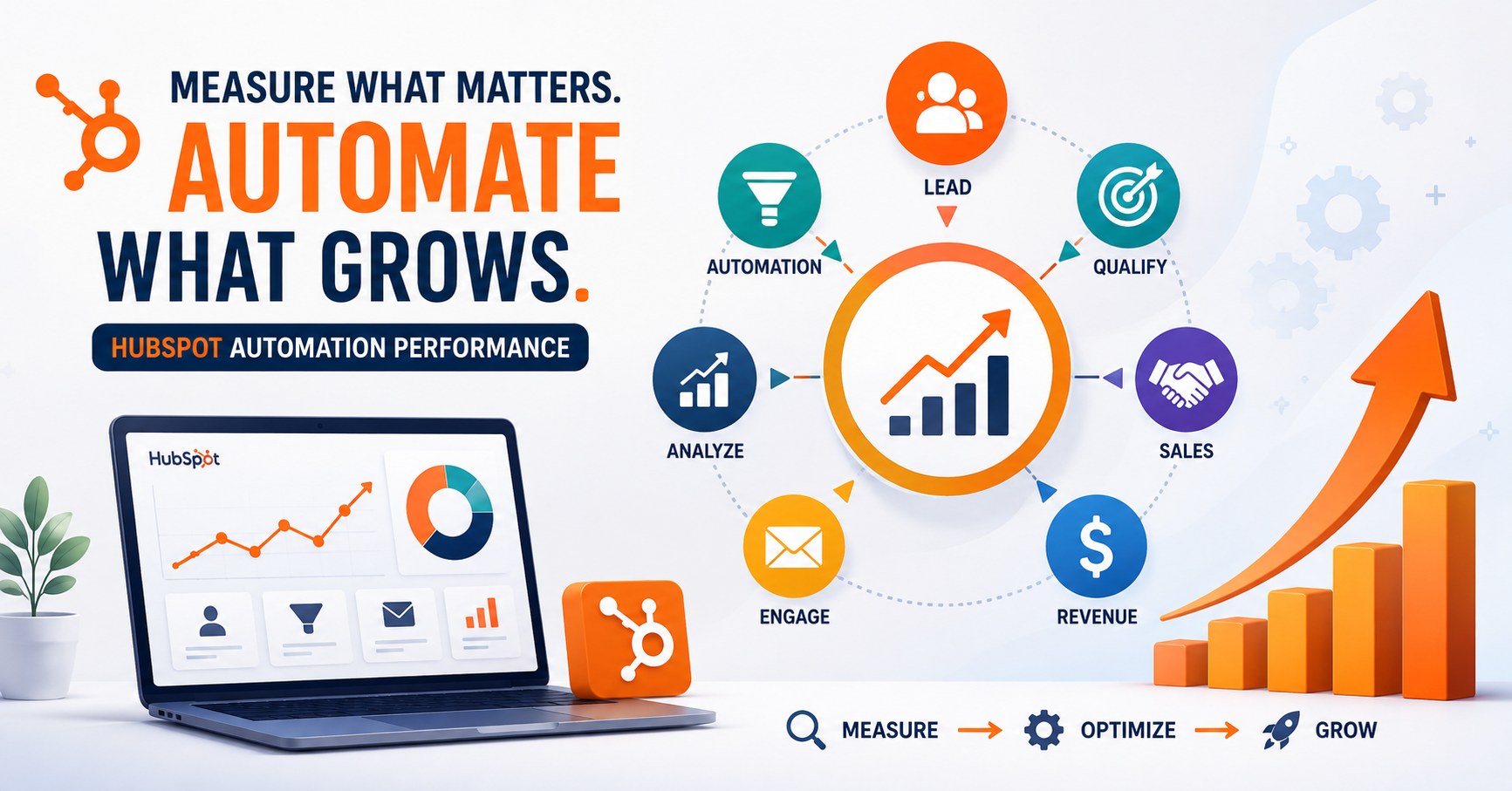
How to Measure HubSpot Automation Performance
A complete measurement framework should connect marketing activity to business outcomes.
At the lead-generation level, businesses can monitor the number of leads generated, conversion rates, and lead-source performance. At the lead-quality level, they can evaluate qualified leads, qualification rates, and sales acceptance.
At the sales level, useful measurements include meetings booked, opportunities created, pipeline generated, and win rate. Businesses can also monitor automation efficiency through workflow enrollment, workflow completion, engagement, lead response time, and manual tasks reduced.
Ultimately, however, automation should be connected to revenue.
A workflow can execute perfectly and still fail to create business value. Measuring pipeline, opportunities, conversions, and revenue helps determine whether the automation strategy is actually contributing to growth.
Common HubSpot Automation Mistakes to Avoid
One of the most common mistakes is automating a process before understanding it. If the customer journey is unclear, additional workflows can create more complexity instead of solving the underlying problem.
Another mistake is creating too many overlapping workflows. As a HubSpot portal grows, businesses should regularly review their automation architecture and remove unnecessary or redundant processes.
Poor CRM data can also reduce automation effectiveness. Workflows depend on accurate contact and company information, so businesses should establish clear data standards and regularly review important properties.
Finally, businesses should avoid measuring automation only by activity. Sending emails, enrolling contacts, and completing workflows are operational measurements. The more important question is whether those activities improve lead quality, sales efficiency, pipeline, and revenue.
Need Help Building HubSpot Automation That Actually Supports Revenue?
HuboExperts helps businesses design and implement lead capture, nurturing, lead scoring, routing, sales handoff, reporting, and CRM automation around their real sales process.
Conclusion
HubSpot automation can transform lead generation from a collection of manual tasks into a structured and repeatable growth process.
The strongest strategies combine lead capture, immediate follow-up, nurturing, qualification, lead assignment, behavior-based automation, and marketing-sales alignment. However, successful automation depends on more than creating workflows. It requires a clear understanding of the customer journey, clean CRM data, appropriate qualification rules, careful testing, and continuous measurement.
For growing businesses, the goal should be simple: use automation to remove repetitive work while giving marketing and sales teams better visibility into the customer journey.
HuboExperts approaches HubSpot automation from this process-first perspective, helping businesses build and optimize HubSpot systems around their actual CRM, marketing, sales, and revenue requirements.
When automation is connected to the broader customer journey, HubSpot becomes more than a place to store contacts. It becomes a system that helps businesses capture, nurture, qualify, convert, and measure leads more effectively.
HubSpot Automation vs. Manual Lead Management
| Area | Manual Process | Automated Process |
|---|---|---|
| Lead capture | Team processes leads manually | CRM captures information automatically |
| Follow-up | Depends on individual action | Triggered by defined events |
| Lead nurturing | Manual campaigns | Workflow-based nurturing |
| Lead assignment | Manual routing | Rule-based routing |
| Data updates | Repetitive | Automated where appropriate |
| Qualification | Often inconsistent | Defined criteria |
| Reporting | Manual consolidation | Centralized CRM reporting |
| Scalability | Requires more people | Processes can scale more efficiently |
Ready to Unlock More Revenue?
Book a Revenue Assessment with HuboExperts and uncover the gaps in your CRM, sales process, automation, and reporting that may be holding back growth.
Get actionable recommendations to improve conversions, streamline your revenue operations, and get more value from HubSpot.
CTA Button:
Frequently Asked Questions
What is HubSpot automation?
HubSpot automation uses workflows, CRM data, triggers, and automated actions to execute repeatable marketing, sales, and customer-management processes.
How does HubSpot automation help with lead generation?
It can automate parts of lead capture, follow-up, nurturing, qualification, routing, and sales handoff, helping businesses manage prospects more consistently.
Can HubSpot automate lead nurturing?
Yes. Businesses can create workflows that deliver relevant communications and actions based on contact information, lifecycle stage, and engagement.
Can HubSpot automatically assign leads to salespeople?
Lead-routing processes can be configured around business rules such as ownership, territory, company characteristics, lead source, or other relevant criteria.
What is the best HubSpot automation workflow?
There isn't one universal workflow. The best workflow depends on the company's customer journey, sales process, qualification criteria, CRM structure, and business goals.
Should every HubSpot process be automated?
No. Automation should be used where it improves efficiency, consistency, speed, or scalability. High-value interactions may still require human involvement.
How do I know whether my HubSpot automation is working?
Look beyond workflow execution. Measure lead quality, response time, qualification, meetings, opportunities, pipeline, conversion rates, and revenue-related outcomes.
When should I hire a HubSpot expert?
Consider expert help when your portal has complex workflows, multiple integrations, poor CRM data, inconsistent lead routing, complicated sales processes, or when your team lacks the time or expertise to design the system correctly.
What does HuboExperts do?
HuboExperts helps businesses implement and optimize HubSpot ecosystems, including CRM implementation, automation workflows, lead-generation systems, integrations, reporting, AI automation, and RevOps.
What should I automate first in HubSpot?
Start with repetitive, high-impact processes such as lead capture, immediate follow-up, lead assignment, nurturing, and sales notifications.
What should I avoid automating?
Avoid automating processes that are poorly defined, require nuanced human judgment, or create unnecessary communication.
How can I improve an existing HubSpot automation system?
Start with a portal audit. Identify redundant workflows, incorrect triggers, poor data, missing qualification rules, weak sales handoffs, and reporting gaps. Then prioritize improvements based on business impact.
Can HubSpot automation increase conversions?
Automation can support conversion by improving response speed, consistency, nurturing, qualification, and sales follow-up. However, automation itself doesn't guarantee higher conversion rates. Results depend on the underlying strategy, messaging, offer, audience, and execution.

