

How to Manage Leads Effectively in HubSpot
Lead management is not just about storing contacts in a CRM. It is about understanding where each prospect is in the buying journey, sending the right message at the right time, and helping sales teams focus on the leads that are most likely to convert. HubSpot makes this easier by combining contact management, lifecycle stages, automation, lead scoring, task creation, email nurturing, and reporting in one platform.
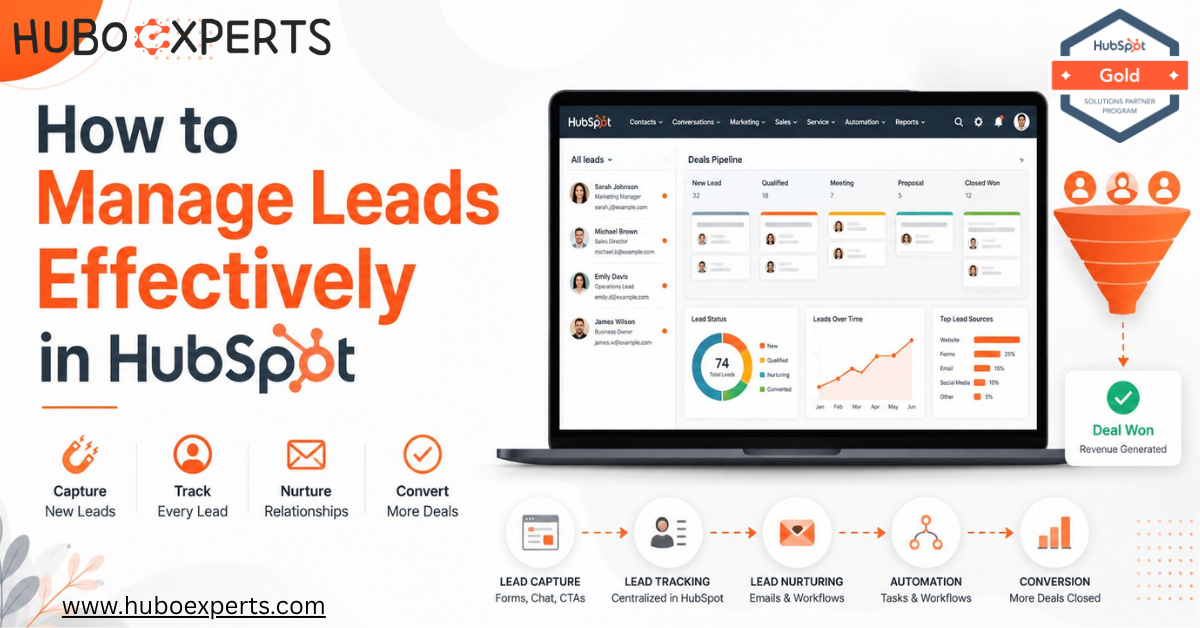
A well-organized CRM dashboard is the foundation of effective lead management — and HubSpot makes it possible to see your entire pipeline at a glance.
Watch: How to Manage Leads Effectively in HubSpot
To make this guide more practical, we have also created a detailed video walkthrough on how to manage leads effectively using HubSpot CRM. In the video, we explain how businesses can build a structured lead nurturing system, automate follow-ups, track lead activity, and use reporting dashboards to improve conversion rates.
Watch the full video below to learn how to manage leads, nurture prospects, and convert more customers using HubSpot CRM.
Why Lead Management Matters More Than Ever
Lead management is not just about storing contacts in a CRM. It is about understanding where each prospect is in the buying journey, sending the right message at the right time, and helping sales teams focus on the leads that are most likely to convert.
Most businesses don't lose deals because they lack leads — they lose them because of poor follow-up timing, scattered data across spreadsheets and inboxes, and unclear ownership of who's responsible for which prospect. HubSpot solves this by combining contact management, lifecycle stages, automation, lead scoring, task creation, email nurturing, and reporting in one platform.
If your team is currently losing leads because of delayed follow-ups, scattered data, or unclear ownership, this guide (and the video above) will help you understand how HubSpot can bring structure to your sales and marketing funnel.
The Core Components of Lead Management in HubSpot
Before diving into workflows and automation, it helps to understand the building blocks HubSpot gives you to manage leads. Here's a quick breakdown:
| Component | What It Does | Why It Matters |
|---|---|---|
| Contact Records | Stores all info about a lead — name, company, email history, deal stage | Single source of truth for every interaction |
| Lifecycle Stages | Tracks where a contact is (Subscriber → Lead → MQL → SQL → Opportunity → Customer) | Helps sales and marketing speak the same language |
| Lead Scoring | Assigns points based on behavior (email opens, page visits, form fills) | Tells reps which leads are sales-ready |
| Workflows | Automates emails, task creation, and lifecycle updates | Removes manual, repetitive follow-up work |
| Tasks & Sequences | Reminds reps to call, email, or follow up at the right time | Prevents leads from going cold |
| Reporting Dashboards | Visualizes pipeline health, conversion rates, and rep performance | Gives leadership visibility into what's working |
Each of these pieces works together. A lead's score might trigger a workflow, which creates a task for a rep, whose outcome is then reflected in a dashboard. Once you see it as a connected system rather than separate features, the platform starts to make a lot more sense.
How to Access and Customize Lead Information in Your Pipeline
Accessing and tailoring lead data in your dashboard should feel seamless, not overwhelming. Whether you’re in your main leads table or a workspace dedicated to sales activity, you can quickly find and refine the information that matters most.
Here's how to do it:
-
Filter with Precision: Use the filters at the top of your lead table to narrow the list by stage, recent activity, or custom properties. Need even more specificity? Advanced filters let you dial in just the segment you want—for example, high-intent contacts or leads from a recent Mailchimp campaign.
-
Adjust Displayed Columns: Not every detail deserves prime real estate in your view. Click the option to edit columns so you’re only seeing info relevant to your workflow—switch out standard fields for data points like LinkedIn profile, recent Shopify transactions, or notes from your last Zoom meeting.
-
Switch Views For Focused Work: Alternate between preset views (like ‘Open Opportunities’ or ‘Recent Activity’) or saved custom views based on what your team needs to accomplish. This lets everyone—from SDR to account manager—work from the same playbook but see what’s most actionable for them.
-
Access Individual Lead Records: To dig deeper into a specific contact, just click their name in the table. You’ll instantly access their complete history—emails sent, calls logged, web visits from platforms like Squarespace or Eventbrite, and more.
-
By customizing these tables and views, your team stays laser-focused on the right leads at the right stage—no more hunting through endless fields or missing context buried in inboxes. You control your pipeline, not the other way around.
How to Build and Edit Custom Saved Views for Leads
One of the fastest ways to keep your pipeline organized—and ensure nothing slips through the cracks—is by creating customized views of your lead data. Instead of hunting for the right filters every time, you can set up (and later adjust) saved views that surface the exact prospects or deals you want to focus on.
Here’s how you can set up and fine-tune a saved view for your leads:
-
Start in your sales dashboard or workspace.
-
Look for the section where you manage leads, often labeled as "Prospects" or "Lead List."
-
To create a new view:
-
Click to add a view (typically a button like "+ Create View" or similar).
-
Give your view a descriptive name you'll recognize later.
-
Apply filters, such as lead status, industry, last contacted date, or any property that helps you cut through the noise. Use advanced filter options when you need more granularity (e.g., key accounts in Toronto who haven’t been emailed in two weeks).
-
Once your filters are set, save the view—this locks in your criteria for quick access anytime.
-
To edit an existing saved view:
-
Select the view from your list of saved views.
-
Adjust or add new filters as your focus shifts (perfect for quarterly reviews or when sales priorities change).
-
Save changes to update the view.
-
-
Once your foundational lead management pieces are in place, it's time to leverage sequences to keep your outreach timely and consistent—without doing everything by hand. Enrolling the right contacts into a sales sequence means your prospects receive a structured series of follow-ups, ensuring that no one slips through the cracks.
Here’s a quick overview of how to enroll the contacts linked to your leads into automated sales sequences:
-
Navigate to Your Sales Workspace: Head to your sales dashboard or workspace where your active leads live.
-
Select Prospects: Find your list of leads or prospects (often under a “Prospecting” or “Leads” tab).
-
Choose Contacts to Enroll: Use the checkboxes to select the contacts you want to include in the sequence. You can pick multiple contacts at once to save time.
-
Initiate Enrollment: Look for an option—usually labeled something like "Enroll in Sequence"—that lets you start the enrollment process for your selected contacts.
-
Pick Your Sequence: In the pop-up or sidebar menu, select the specific sales sequence you want these contacts to follow. Many CRMs let you preview or customize the emails and tasks involved right here.
-
Complete Enrollment: Confirm or review the settings, then finalize enrollment. Your selected contacts are now queued to receive the automated emails, calls, or tasks built into your chosen sequence.
This approach means your outreach remains proactive and personalized—even while it’s automated. Whether you’re rolling out a classic “demo request” sequence or nurturing cold leads from last quarter, keeping contacts enrolled in the right sequence helps your sales team maintain momentum and maximize conversion potential.
-
-
Custom Views & Filters: Your Secret Weapon for Lead Organization
One of the most powerful (and underrated) features for scaling lead management is the ability to create custom views and filters. Think of a custom view as your personalized command center. Rather than scrolling through endless lists or spreadsheets, you can instantly surface the exact leads that matter most—tailored by stage, recent activity, segment, or whatever criteria keep your team on track.
-
Build Personalized Lead Views
Custom lead views help sales teams focus on the prospects that require attention instead of searching through an entire database.
You can create views based on criteria such as:
-
High-priority leads engaged within the last seven days
-
Leads that have not yet been assigned to a sales representative
-
Contacts from specific industries or territories
-
Leads connected to strategic accounts
-
Prospects that are not currently enrolled in a sequence
-
Leads that have engaged previously but have recently gone inactive
Once the filters are configured, the view can be saved and reused. This gives sales representatives a focused workspace whenever they log in and reduces the time spent manually searching for relevant prospects.
Segment Leads for Action
Custom filters are most useful when they help your team decide what to do next.
For example, you can create segments for:
-
Leads requiring immediate follow-up
-
Prospects waiting for sales outreach
-
Contacts not currently enrolled in a sequence
-
High-value target accounts
-
Leads that have stopped responding
-
Prospects that recently completed a high-intent action
These segments make it easier to prioritize outreach and ensure important opportunities are not overlooked.
Switch Between Lead Views Easily
Sales teams often need different perspectives depending on what they are working on.
Instead of repeatedly changing filters, saved views allow users to quickly move between:
-
Open leads
-
Target accounts
-
Recently active prospects
-
Unassigned leads
-
Leads not in a sequence
-
High-priority opportunities
-
Inactive or stalled prospects
As your sales team and lead volume grow, saved views become increasingly valuable because they help everyone work from a consistent lead management process.
How to Filter, View, and Customize Your Lead Lists
A well-organized lead workspace can make prospecting much more efficient.
Whether your team is prioritizing outreach, reviewing recent engagement, or identifying bottlenecks, HubSpot allows users to filter and organize leads based on the information that matters most.
Viewing and Filtering Leads
Within your lead management workspace, you can use filters to narrow down your records based on specific criteria.
Common filters may include:
-
Lead status
-
Lead owner
-
Lead score
-
Industry
-
Territory
-
Last activity date
-
Last contacted date
-
Company information
-
Engagement level
-
Lifecycle stage
Instead of reviewing every record in the CRM, sales representatives can use these filters to focus on a smaller and more relevant group of prospects.
Customize Your Lead Table
You can also customize the information displayed in your lead table.
Useful columns may include:
-
Contact name
-
Company
-
Lead owner
-
Lead status
-
Lead score
-
Last activity
-
Last contacted date
-
Next activity
-
Associated deal
-
Lead source
Selecting the right columns allows your sales team to understand each lead quickly without opening every individual record.
Custom Views for Focused Prospecting
Saved views allow sales representatives to create targeted lead lists based on their specific workflow.
For example, you might create views such as:
-
Hot Leads This Week
-
Assigned but Not Contacted
-
Demo Booked – Follow-Up Required
-
Target Accounts
-
High-Intent Website Visitors
-
Leads Not in a Sequence
-
Inactive Leads Requiring Re-Engagement
To create a custom view:
-
Select the filters that define the leads you want to see.
-
Choose the properties or columns you want displayed.
-
Apply the appropriate sorting criteria.
-
Save the view with a clear and descriptive name.
-
Return to the saved view whenever you need to work with that segment.
Well-designed views can help sales teams prioritize outreach, distribute leads, monitor follow-up activity, and identify conversion trends.
Board Views and Advanced Lead Organization
For teams that prefer a more visual approach, HubSpot can provide board-style views for supported CRM objects and sales processes.
A board view organizes records into columns based on their current stage or status.
This makes it easier to understand how prospects are progressing through the sales process.
Depending on the object and workspace being used, teams can review records visually and quickly identify:
-
New opportunities
-
Leads waiting for follow-up
-
Prospects progressing through qualification
-
Stalled records
-
Leads approaching conversion
A visual layout can be particularly useful for sales managers who want a quick overview of pipeline movement and potential bottlenecks.
How to Manage Leads in a Board View
When a board view is available, each record appears as a card within a corresponding stage or status.
This gives teams a more visual way to manage lead progression.
Users can typically:
-
Review leads by stage
-
Open records directly from the board
-
Update lead information
-
Assign follow-up activities
-
Review ownership
-
Identify stalled prospects
-
Track movement through the qualification process
This approach can make it easier for teams to understand where prospects stand without reviewing a long table of CRM records.
Organizing Leads Across Multiple Pipelines
Businesses with more complex sales operations may use different pipelines for different processes.
For example:
-
New business
-
Enterprise sales
-
SMB sales
-
Partner or channel sales
-
Renewals
-
Upsells
-
Different regions or business units
Separating processes into appropriate pipelines can make reporting and pipeline management much clearer.
Users can switch between pipelines to focus on a particular sales process or review records across the organization when broader visibility is required.
Filters can then be used to further narrow the data by:
-
Sales representative
-
Territory
-
Deal stage
-
Lead status
-
Product or service
-
Lead score
-
Business unit
-
Account type
The goal is to give sales teams enough flexibility to focus on the records relevant to their responsibilities while still maintaining visibility across the wider sales operation.
Useful Lead Views for Sales Teams
A well-structured sales workspace should provide quick access to the lead segments your team works with most frequently.
Useful views may include:
Open Leads
Displays prospects that still require qualification or follow-up.
This helps sales representatives understand which leads are currently active and require attention.
Target Accounts
Focuses on prospects associated with strategically important companies.
This can help account-based sales teams concentrate their efforts on high-value organizations.
Recent Activity
Shows prospects that have recently engaged with your business.
Recent activity may indicate stronger intent and can help sales representatives prioritize timely outreach.
Leads Not in a Sequence
Highlights contacts that are not currently enrolled in an automated or semi-automated outreach sequence.
This view can help prevent prospects from being unintentionally left without follow-up.
All Leads
Provides a broader view of the leads available to the user based on their permissions and ownership rules.
Teams can then apply additional filters when they need a more focused segment.
How to Manage Leads in a Sales Workspace
A centralized sales workspace gives representatives one place to manage their prospecting and follow-up activities.
Instead of moving between multiple screens, users can review leads, prioritize outreach, monitor activity, and manage follow-up from a more focused environment.
See Leads in One Central Workspace
A structured sales workspace can help teams access:
-
Open leads
-
Target accounts
-
Recent activity
-
Saved views
-
Lead ownership information
-
Follow-up priorities
-
Qualification status
-
Activity history
This gives sales representatives a clearer picture of what requires attention each day.
Managers and administrators may also have broader visibility depending on the permissions configured within the HubSpot account.
Create, Customize, and Save Your Ideal Lead Views
Different sales teams often require different lead views.
For example, a regional sales representative may want to see:
Midwest Prospects with Open Opportunities
while another team may need:
Technology Leads Added This Week
HubSpot filters and saved views can be configured around the way each team actually works.
A typical process involves:
-
Creating a new view.
-
Adding the required filters.
-
Selecting the properties you want displayed.
-
Choosing the appropriate sorting order.
-
Naming the view clearly.
-
Saving it for future use.
Views can also be updated as your sales process evolves.
Edit, Assign, and Manage Leads Efficiently
Sales teams frequently need to make quick changes to lead records.
Depending on user permissions and the HubSpot tools being used, users can manage activities such as:
-
Updating lead properties
-
Changing ownership
-
Adjusting lead status
-
Creating tasks
-
Logging activities
-
Reviewing engagement history
-
Adding prospects to appropriate outreach processes
-
Removing or managing records when necessary
Having these actions available within a centralized sales workspace reduces unnecessary administrative work and helps representatives spend more time selling.
Why Custom Lead Views Matter
Custom views are not simply an organizational feature.
When configured correctly, they become an important part of your sales process.
They help your team answer questions such as:
-
Which leads should I contact today?
-
Which prospects have recently shown buying intent?
-
Which leads have not received follow-up?
-
Which target accounts require attention?
-
Which opportunities are becoming inactive?
-
Where are leads getting stuck in the sales process?
By combining filters, saved views, clear ownership, lead scoring, and automation, your sales team can create a much more focused prospecting process.
Instead of searching through hundreds or thousands of CRM records, representatives can immediately see the prospects most likely to require action.
-
Edit an individual lead’s info in seconds—no need to chase down a spreadsheet or ask IT for help.
-
Bulk-assign leads to new owners (perfect when you’re realigning territories or picking up for a vacationing rep)
-
Clean up your pipeline by removing outdated or disqualified leads in just a couple of clicks.
-
Step 1: Centralize and Clean Up Your Contact Data
-
Before any automation can work well, your contact data needs to be organized. Scattered information across spreadsheets, inboxes, and sticky notes is the number one cause of lost leads.
-
In HubSpot, every lead becomes a contact record that automatically logs:
-
Website visits and page views
-
Email opens and clicks
-
Form submissions
-
Call and meeting history
-
Deal and ticket associations
-
This means a salesperson opening a contact record can immediately see the full history of that prospect's interaction with your brand — no digging through old email threads required.
-
Practical tip: Use HubSpot's deduplication tools and required fields on forms to keep your database clean from the start. A CRM full of duplicate or incomplete records will quietly sabotage even the best automation.
How to Edit and Bulk-Edit Lead Properties and Stages
-
Keeping your contact database clean isn’t just about deduplication—it also means making sure key details like lead properties and stages are always up-to-date. Fortunately, modern CRMs make it easy to update leads one at a time, or tackle batches in bulk to save time.
-
Here's how you can quickly edit lead information, whether you're updating a single prospect or making changes across your whole pipeline:
- Editing Individual Lead Properties
-
Navigate to your CRM's leads section.
-
Find and select the prospect you want to update.
-
Open their contact record; you’ll see a panel or details page with all their key properties—name, stage, email, activity log, and more.
-
Look for an edit or pencil icon next to each property. Click it, update the values you need (like changing their stage from Lead to MQL), then hit Save.
-
Some CRMs allow edits right from the main leads list via a side panel—perfect for making quick tweaks without losing your place.
- Bulk-Editing Lead Properties and Stages
-
From your main leads index or table view, use checkboxes to select multiple leads at once.
-
Look for a bulk edit or update option at the top of the table.
-
Choose the property you want to change—like lifecycle stage, owner, or lead source.
-
Select the new value, then confirm the update. All selected leads will be updated in one go.
-
If your sales workspace includes assigning leads, you can also reassign ownership in bulk the same way.
- A Quick Note on Permissions:
Depending on your CRM setup, some actions (like editing leads in certain stages or bulk reassigning ownership) may be restricted to users with manager or admin privileges. If you don’t see certain options, check your user permissions or connect with your CRM administrator.
-
Keeping lead details current is essential for smooth sales handoffs, meaningful automation, and accurate reporting. The faster your team can update records (without spreadsheet headaches), the more time you’ll spend actually moving leads down the funnel.
-
How to Bulk-Reassign or Delete Leads
-
Without the Hassle
-
If you've ever found yourself wondering, "Is there an easier way to reassign a stack of leads to someone else—or just clear out old prospects clogging my database?" Good news: in most sales platforms, it’s straightforward with just a few clicks (and a little bit of organizational finesse).
-
Bulk-Reassigning Leads
- Here's how you can swiftly hand off leads to new owners:
-
Start in your sales workspace or lead management area.
-
Use the checkboxes to select all the leads you'd like to reassign (pro tip: filters can help you find the right batch quickly).
-
Look for an “Assign” or “Change Owner” button at the top—click it.
-
Choose the new owner from your team list and confirm the assignment.
-
With that, the selected leads are transferred and instantly visible under their new owner's purview, so there’s no confusion about who should follow up next.
-
Bulk-Deleting Leads
-
Need to do some spring cleaning in your lead database? Here’s how to delete in bulk:
-
Again, head to your sales workspace or lead list.
-
Tick the boxes next to the leads you want to remove.
-
Hit the “Delete” button—usually hiding in plain sight up top.
-
Confirm you’re ready to banish those records for good (double-check, because this can’t always be undone!).
-
Maintaining a tidy, up-to-date database not only helps with reporting accuracy, it also helps your team focus on the conversations that matter most.
-
Managing Leads in Your Leads Index Page
-
Your leads index page is command central for keeping your pipeline organized. Here’s how to create, update, or remove leads—all without the hassle of hunting through cluttered spreadsheets or sticky notes.
- Creating a New Lead
-
Look for the “New Lead” or “Add Lead” button, usually at the top of your leads table.
-
Enter essential details like name, company, contact info, and any custom fields your sales process requires.
-
Save the new record—this automatically creates a profile where future activity and communication are logged.
- Editing Leads in Bulk or Individually
-
To update several records at once, check the boxes next to the leads you want to change.
-
Select the “Edit” option and pick which property to update (like owner, status, or source). Make your changes and apply them in one go.
-
For individual tweaks, simply click on the lead’s name. This will open a details panel where you can directly edit properties, add notes, or update their stage in your sales funnel.
- Reassigning Leads to Team Members
-
Select the leads needing a new point of contact.
Hit the “Assign” button, choose the new owner from your team, and confirm. This instantly clarifies responsibility, so nothing slips through the cracks.
- Deleting Leads
-
If you spot records that are outdated or no longer relevant, check their boxes and click “Delete.”
-
You’ll usually be asked to confirm the number of records you’re removing. Once deleted, they’re gone from your view—helping keep your database lean and focused.
-
Pro tip: Regularly review and clean your lead records—deleting duplicates and archiving inactive contacts ensures your CRM stays a valuable tool, not a digital junk drawer.
-
Step 2: Set Up Lifecycle Stages That Reflect Reality
-
Lifecycle stages are how HubSpot tracks a contact's journey from first touch to closed customer. The default stages are a good starting point, but most businesses need to customize them to match their actual sales process.
| Stage | Typical Definition |
|---|---|
| Subscriber | Opted into a newsletter or blog, not yet a lead |
| Lead | Filled out a form or downloaded content |
| Marketing Qualified Lead (MQL) | Shows strong engagement signals (scoring threshold met) |
| Sales Qualified Lead (SQL) | Vetted by sales as a real opportunity |
| Opportunity | Actively in a sales conversation/deal stage |
| Customer | Closed-won deal |
-
Getting this mapping right is what allows marketing and sales to stop arguing about "what counts as a good lead" — the criteria are defined and automated, not subjective.
-
Step 3: Build Lead Scoring So Reps Know Who to Call First
-
Not every lead deserves the same amount of attention. HubSpot's lead scoring feature assigns point values to specific behaviors, so your team can instantly tell which leads are warming up and which are still browsing.
-
Common scoring criteria include:
-
+10 points for visiting the pricing page
-
+5 points for opening three or more marketing emails
-
+15 points for requesting a demo
-
-5 points for unsubscribing from emails
-
+20 points for matching your ideal customer profile (job title, company size, industry)
-
Once a contact crosses a defined score threshold, they can be automatically flagged as an MQL or SQL — which is where automation takes over.
-
Step 4: Automate Follow-Ups with Workflows
-
This is where HubSpot really saves time. Instead of manually emailing every lead or reminding reps to follow up, workflows do it automatically based on triggers you define.
-
A simple nurturing workflow might look like this:
-
Lead downloads a guide → enters workflow
-
Day 0: Sends a welcome/thank-you email
-
Day 2: Sends a related case study
-
Day 5: If they've opened both emails, creates a task for a sales rep to call
-
If they haven't engaged, the lead stays in a lighter nurture track instead of being abandoned
-
This kind of structure ensures no lead "falls through the cracks" simply because a rep got busy. It also means every lead gets a consistent, professional experience — regardless of how many leads come in that week.
-
How to Find Leads That Are Unassigned or
-
Not Enrolled in a Sequence
-
Even in the most organized CRM, leads occasionally slip through without an owner or end up sitting quietly, not enrolled in any sequence. Good news: you don’t have to go on a scavenger hunt to find them.
- Here’s how to surface those leads fast:
- Unassigned Leads:
Head to your main leads dashboard. Most platforms (think Salesforce, Zoho, or Pipedrive) let you filter your list to show only leads that haven’t been assigned to a rep yet. Look for a filter like “Owner is empty” or “Unassigned”—this instantly gives you a list of every lead still waiting for a home.
-
Leads Not in a Sequence:
Want to see which contacts haven’t yet entered an outreach or nurture sequence? Use the filters or custom views on your leads or contacts page to surface only those “Not in Sequence.” This makes it easy to identify who’s overdue for some attention and helps ensure no one sits idle.
-
Custom Filter Tips:
Most CRMs allow you to mix and match filters, so you can pull up leads that are both unassigned and not in any sequence at once. Save these filters as a custom view for an easy sanity check during your weekly pipeline reviews.
-
Prioritizing these leads puts you one step ahead—ensuring everyone gets follow-up and no opportunities languish in CRM limbo.
-
Step 5: Track Everything Through Reporting Dashboards
-
Once your data is centralized and your automation is running, dashboards turn that activity into decisions. HubSpot's reporting tools let you build dashboards that show:
| Dashboard Element | What It Tells You |
|---|---|
| Lead source report | Which channels (ads, organic, referral) bring in the best leads |
| Funnel conversion report | Where leads drop off between stages |
| Rep activity report | Who's making calls, sending emails, booking meetings |
| Deal forecast | Expected revenue based on current pipeline |
| Response time report | How quickly leads are contacted after coming in |
-
Response time is especially worth watching — research consistently shows that leads contacted within the first few minutes convert at dramatically higher rates than those contacted hours later. A dashboard that flags slow response times can be the difference between a closed deal and a lost one.
-
Common Mistakes to Avoid
-
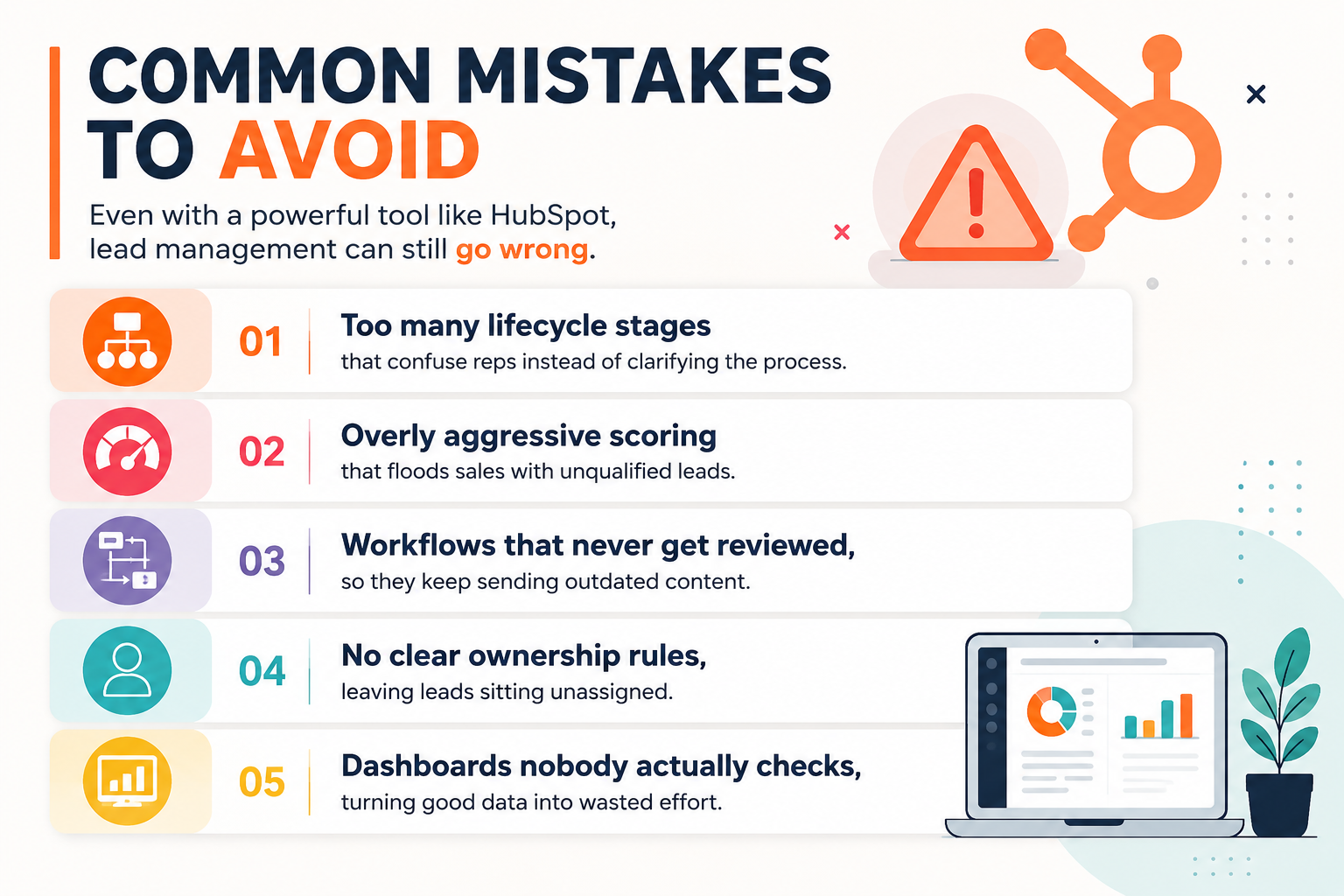
Even with a powerful tool like HubSpot, lead management can still go wrong. A few patterns we see often:
-
Too many lifecycle stages that confuse reps instead of clarifying the process
-
Overly aggressive scoring that floods sales with unqualified leads
-
Workflows that never get reviewed, so they keep sending outdated content
-
No clear ownership rules, leaving leads sitting unassigned
-
Dashboards nobody actually checks, turning good data into wasted effort
-
The platform only works as well as the process behind it. Technology can't fix an undefined sales process — it can only make a defined one run faster and more consistently.
-
How to Reassign Leads to the Right Owner
-
Occasionally, leads end up with the wrong person — maybe territory assignments changed, a rep is out sick, or a new teammate just joined. Good news: reassigning leads is simple and only takes a minute if you know where to look.
- Here’s how to do it:
-
First, open your leads list within your CRM platform.
-
Check the boxes next to the leads you want to move—no need to do it one by one if you have a batch.
-
Look for the "Assign" or "Change Owner" button—usually at the top of the table or list.
-
Pick the new owner from the dropdown menu or list of team members.
-
Confirm the change, and you’re done.
-
Bonus tip: Any automated notifications or workflows tied to lead ownership will update as well, so the new owner is instantly in the loop. This keeps your process tidy and ensures no valuable prospects languish in limbo.
Conclusion
-
At HuboExperts, we have seen firsthand how much revenue businesses leave on the table simply because their lead management process isn't structured. Leads get buried in inboxes, follow-ups happen too late, and sales reps end up guessing who to call first instead of knowing. The good news is that HubSpot already has every tool needed to fix this — contact records, lifecycle stages, lead scoring, workflows, and reporting dashboards all work together once they are set up correctly.
-
That last part — set up correctly — is where most teams get stuck. It's rarely a lack of features holding businesses back; it's an unclear process, inconsistent data, or automation that was built once and never revisited. Effective lead management isn't a one-time setup. It's an evolving system that needs to be reviewed, refined, and aligned with how your sales and marketing teams actually work.
-
If you take only one thing away from this guide, let it be this: leads convert when they feel followed up with at the right time, not just followed up with eventually. HubSpot gives you the engine to make that happen consistently, at scale, without burning out your sales team.
-
As a HubSpot specialist agency, this is exactly what HuboExperts helps businesses build — from initial CRM setup, to lifecycle stage mapping, to lead scoring models and automation that actually reflects how your buyers behave. Whether you're starting from scratch or fixing a HubSpot portal that's grown messy over time, our team can help you turn HubSpot into the structured, reliable lead management system it's capable of being.
-
Need Help Setting This Up?
-
Setting up lead nurturing, automation, and CRM dashboards correctly takes more than just flipping a few switches in HubSpot — it requires the right structure from day one.
-
To make this guide more practical, we have also created a detailed video walkthrough on how to manage leads effectively using HubSpot CRM. In this video, we explain how businesses can build a structured lead nurturing system, automate follow-ups, track lead activity, and use reporting dashboards to improve conversion rates.
Frequently Asked Questions
- 1. What is lead management in HubSpot?
-
Lead management in HubSpot is the process of capturing, organizing, scoring, and nurturing prospects through contact records, lifecycle stages, automation, and reporting — all inside one connected platform — so sales and marketing teams can prioritize the right leads at the right time.
- 2. How do I set up lead scoring in HubSpot?
-
Lead scoring is set up under HubSpot's automation settings, where you assign point values to specific actions (such as visiting a pricing page or opening emails) and attributes (such as job title or company size). Once a contact's score crosses a threshold you define, HubSpot can automatically update their lifecycle stage or trigger a workflow.
-
3. What's the difference between an MQL and an SQL in HubSpot?
-
A Marketing Qualified Lead (MQL) is a contact who has shown strong engagement signals — like downloading multiple resources — but hasn't been vetted by sales yet. A Sales Qualified Lead (SQL) has been reviewed and confirmed by the sales team as a genuine opportunity worth pursuing.
- 4. Can HubSpot automate follow-up emails for new leads?
-
Yes. HubSpot's workflow tool lets you build automated email sequences that trigger based on actions like form submissions, page visits, or lifecycle stage changes, so new leads receive timely follow-ups without a rep having to send each message manually.
-
5. How does HubSpot help prevent leads from falling through the cracks?
-
HubSpot combines automated task creation, sequences, and lifecycle tracking so that every lead has a clear next step and an owner. If a lead doesn't engage with one automation, it can be routed into a different nurture track instead of being left untouched.
- 6. What reports should I track to measure lead management performance?
-
Key reports include lead source performance, funnel conversion rates between lifecycle stages, rep activity (calls, emails, meetings booked), deal forecasts, and average response time to new leads. Together, these show both how many leads convert and where they drop off.
-
7. Is HubSpot's free CRM enough for basic lead management?
-
HubSpot's free CRM covers contact management, deal tracking, and basic task reminders, which is enough for very small teams. However, lead scoring, advanced workflows, and detailed reporting dashboards typically require a paid Marketing Hub or Sales Hub subscription.
- 8. How often should lead nurturing workflows be reviewed?
-
Most teams should review active workflows every one to three months to make sure the content is current, the timing still matches buyer behavior, and the automation isn't sending outdated offers or messaging to leads.
-
9. Why is response time so important in lead management?
-
Leads contacted within the first few minutes of showing interest convert at significantly higher rates than those contacted hours or days later. HubSpot's response time reporting helps teams catch and fix delays before they cost deals.
-
10. Do I need a developer to set up HubSpot automation and dashboards?
-
No. HubSpot's workflows, lifecycle stages, and dashboards are built with a visual, no-code interface designed for marketing and sales teams. That said, more advanced setups — like custom scoring models or multi-team automation — often benefit from guidance by a HubSpot specialist like HuboExperts to avoid costly setup mistakes.

